


Why Your Customer Journey Feels Disconnected (And How to Fix It)

When your tools don’t talk to each other, teams end up chasing information instead of selling to customers.
All too often, companies have a CRM to manage the sales pipeline, a project management platform to keep delivery on track, and separate systems for finance and support.
So, if sales closes a deal, delivery has no visibility into it. Then, finance is chasing invoices with no access to the underlying deal. Everyone’s working from their own spreadsheet, and no one has the full picture.
The customer journey can start to feel fragmented, frustrating, and slow, even when every individual department is doing its job.
At Provident CRM, we help businesses connect the dots using monday.com. Rather than five separate tools each holding a part of the story, monday.com acts as a single Work OS, carrying a customer’s data cleanly from the first marketing touch, through sales and delivery, all the way to the final invoice and beyond into support.
At a Glance
- Disconnected tools force teams to chase information manually, slowing down every stage of the customer journey
- monday.com connects marketing, sales, delivery, finance, and service on one data layer using connect boards and mirror columns
- Most self-built setups fail because teams build a board per department instead of connecting them, creating duplicate, mismatched records
- A properly connected journey gives every department one live source of truth, improving speed and forecasting accuracy
When your tools don’t talk to each other
A typical scenario looks like this: sales, delivery, and finance each running their own spreadsheets, with no shared visibility between them. A salesperson closes a deal and hands it over to delivery, but delivery has no access to that record and no context on what was agreed. Finance has no visibility into the underlying deal and subsequent invoices. Everyone ends up consistently chasing each other across departments just to find basic information, because there’s no single source of truth anywhere in the business.
We saw a version of this recently with a healthcare client. Most of their cross-department work was still happening through old Excel spreadsheets. Sales, delivery, and finance were each updating their own version, and keeping everyone aligned required manual follow-ups.
Teams then spend their time chasing each other rather than doing valuable work. “Have you spoken to this client yet?” “When is this invoice due?” “Has anyone updated the delivery board?” Information slips through the cracks, and with five or six systems that don’t communicate, the whole process becomes tedious and slow.
How monday.com connects the full journey
While monday.com is often thought of as just a CRM or task tracker, it’s actually five connected products sitting on the same data: Work Management for projects and delivery, CRM for the sales pipeline, Service for tickets and support, Dev for software sprints, and Campaigns for marketing.
Underneath, they’re all built from the same boards made up of items and columns. Two features join everything together: connect boards, which link an item on one board to an item on another, and mirror columns, which pull a live value across that link. A deal in the CRM, for example, can show its value on a delivery project and keep it up to date automatically.
Here’s what that looks like for a single customer record moving through the customer journey.
- A form captures a lead, which feeds into a leads board.
- Campaigns nurtures and scores that lead until it’s qualified. Then it becomes a deal with a contact and an account in the CRM.
- Once the deal is marked as won, an automation builds the delivery project in Work Management, and the two records are connected with a mirror column that carries every relevant value across.
- The CRM then generates the quote and invoice off that same deal.
- When the project goes live, the account moves into service for ongoing tickets and support.
Cian explains below how each product carries its own stage of the journey, but the connections carry the record between them, so nothing has to be entered twice even if the volume triples or quadruples.
Where companies get this wrong on their own
When businesses try to set this up themselves, a few mistakes come up time and again.
The most common is building a board per team and never connecting them. The same customer ends up living on four different boards, with different spellings and different numbers that never quite match.
Or, teams build their workspace to mirror their org chart rather than how work actually flows, so every department is in its own silo with no shared record. From there, it’s tempting to automate the mess rather than fix it, which only bakes the disconnection in further.
We saw this play out with a client who was retyping every single deal into their delivery board by hand. One record, using a connect board and mirror column, stopped that completely.
Building something that works is relatively easy. But building something that scales requires clean naming conventions, one source of truth per project, and automations that don’t break when the process changes.
What a properly connected journey looks like
Done properly, companies have one live version of the truth across the whole customer journey, held together by connect boards rather than spreadsheet exports. So, teams stop managing the tool and start running the business.
We worked with one client who was running three teams across three separate tools. We built them a single workspace with a live dashboard pulling numbers straight from the CRM alongside their delivery and service boards. Their leadership team no longer needed to spend hours in meetings each week chasing updates. Instead, they could open the dashboard and see everything live.
The benefits are tangible:
- Speed of working
- No more chasing colleagues across chats and email threads
- More accurate forecasting
Every board across every department is feeding into one nucleus of information. So as one deal moves through, the numbers better reflect what the quarter, half, or year actually looks like.
Bringing AI in
Once the data is clean and the boards are connected, monday.com’s AI Work Platform can add another layer on top.
First are AI Blocks, the smallest unit, which are actions inside a column or automation that can summarise an update or categorise a support ticket.
Sidekick sits above that as an assistant that understands the whole workspace, acting as a personal assistant that knows the deal, without having to trawl spreadsheets or relisten to call recordings.
Above that again are Agents, the “digital workforce” that carry out tasks, such as an AI sales agent that calls, texts, or emails a lead to qualify it and book a meeting, or an AI service agent that reads a ticket and sets its priority.
But an agent is only as good as the data it’s working from. It needs clean, structured columns, permissions that fence off exactly what it can touch, and a clear handoff to a person.
Our approach is to let agents own anything reversible, like drafting updates or chasing a first reply, but anything touching money or a customer needs a person to sign off.
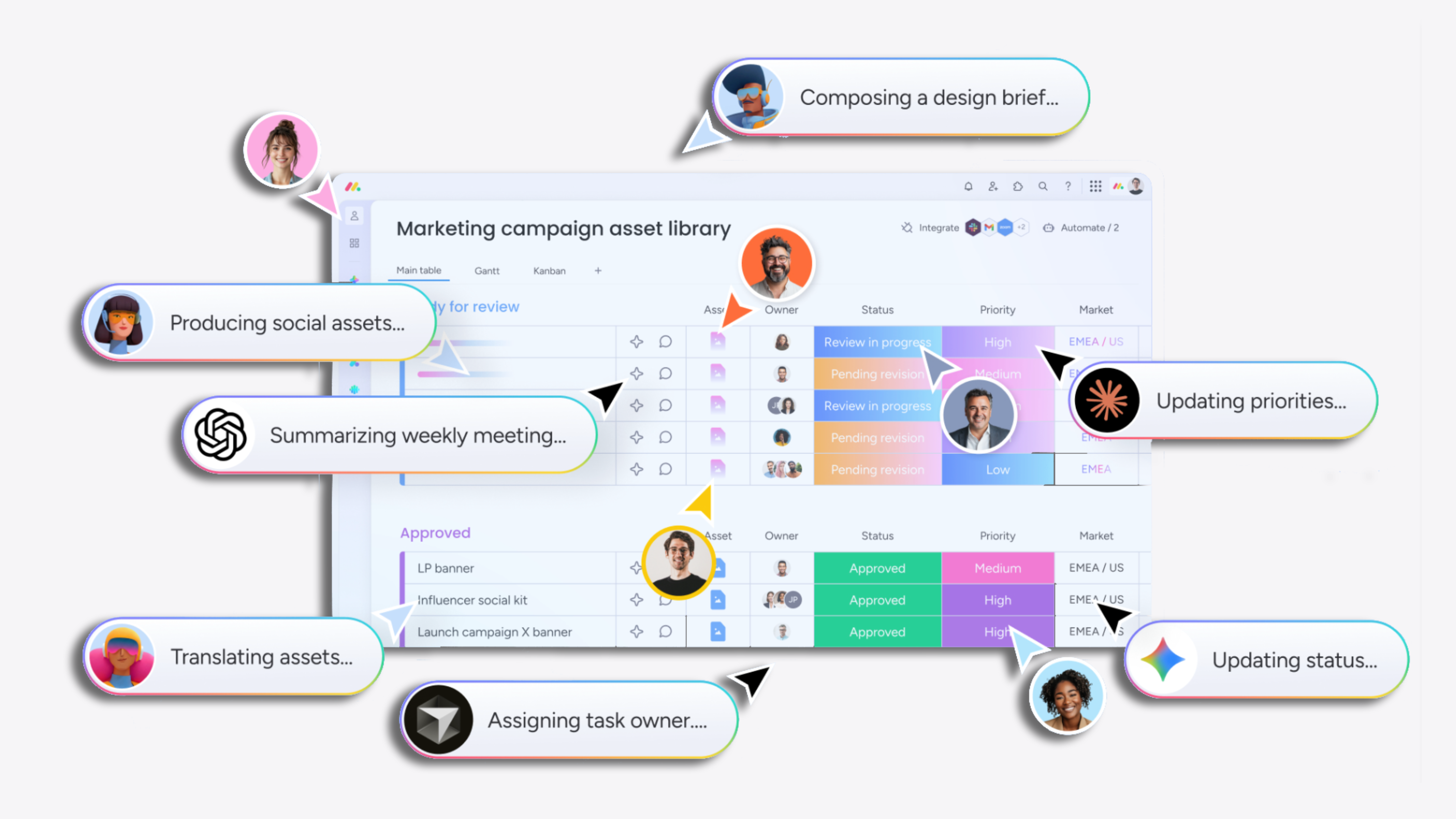
We’ve covered each of these tools in more depth in our guide to monday.com’s AI tools, from Sidekick through to Agent Factory, if you want to see them broken down individually.
Frequently asked questions
Q: Does monday.com connect departments automatically?
No, the products share data, but connecting them takes deliberate configuration, which is what an implementation partner handles.
Q: What’s the biggest mistake companies make setting this up themselves?
Building a separate board per department without connecting them, so the same customer ends up on multiple, mismatched records.
Q: Can AI agents act on customer data without a person signing off?
Not on anything involving money or a customer directly — those always need human approval first.
Connect your customer journey in monday.com
A connected customer journey in monday.com turns four departments guessing about the same client into one team working off the same truth, from the first enquiry all the way to the final invoice.
If any part of your business — marketing, sales, delivery, finance, or service — still feels like it’s operating in its own silo, get in touch.
Posted on